✦ Free · Windows 10 / 11 · No installer
Stop ALT+TAB.
WinGlance shows live thumbnails of all your open windows in a compact, always-accessible overlay. See everything. Click to switch. Stay in the flow.
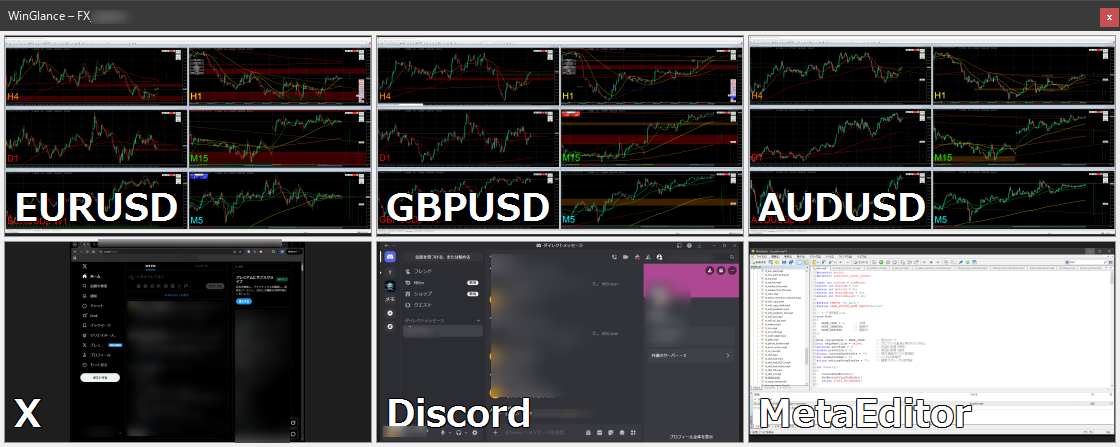
WinGlance shows live thumbnails of all your open windows in a compact, always-accessible overlay. See everything. Click to switch. Stay in the flow.
Sound familiar?
Works great for traders, developers, and anyone juggling too many windows.
Real-time DWM thumbnails — see what's happening in every window without switching to it.
Click any thumbnail to instantly bring that window to the front. One click, no searching.
Optionally keep WinGlance floating above all other windows so it's always visible when you need it.
Snap to any screen edge. WinGlance hides when you're not looking and slides back on hover.
Horizontal, vertical, or tile — arrange slots however fits your monitor setup.
Name each slot so you always know which window is which at a glance.
Run MT4 across multiple currency pairs and timeframes. WinGlance keeps every chart visible in a compact strip — so you catch the move before it's gone.
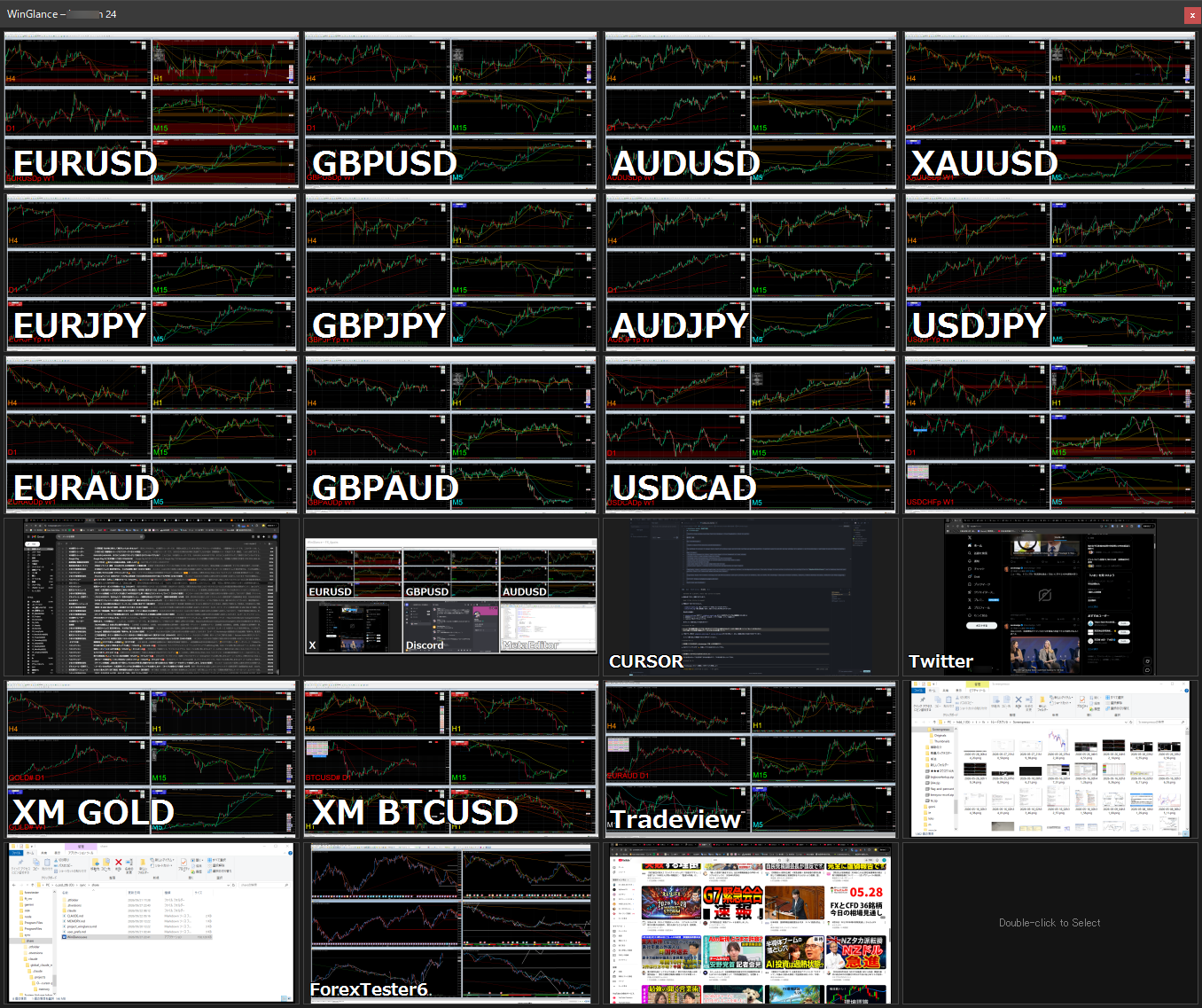
The author uses two WinGlance instances across three 4K displays — 24 slots along the bottom, 16 across the top — for instant one-click access to 40 windows: 20+ live charts, X (Twitter), financial news, economic calendars, ForexTester, and development tools.
No installer needed. Double-click the .exe and the Profile Manager opens. Enter a name for your profile — you can create multiple profiles for different purposes (e.g. "FX", "Dev Tools").
In General Settings, choose slot count, layout direction (horizontal, vertical, or tile), and other options like auto-hide, always-on-top, and snap-to-edge.
Double-click any slot to pick the window you want to display.
A desktop shortcut is created for each profile. Launch from the shortcut to restore that profile's layout and window assignments.
Latest: v1.0.0.14 · Release Notes
WinGlance is free and always will be. That said — the author has lost over $60,000 in FX and other trading (as of 2026). If you're profiting, consider sharing a little. Every bit helps keep development going. 🙏
Found a bug or have a feature request? Use the form. Donors receive priority responses — and for larger contributions, custom development may be available. Feel free to reach out.